Float is a fishing logbook used in the BC GHL fishery to collect catch data.Guides: |
To install:
- Open this page on your android tablet
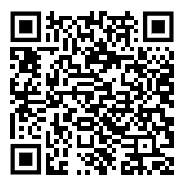
- Download latest on the device with on of the following
- Tap on this link: Download latest release - 2.3.2026.01.30.02255
- Or Scan QR code
- Tap download to download the app file
- Open your notifications or downloads and tap on the file
- Follow the prompts to install
Login:
Open Float and enter your email into the Username line.
Your temporary password is “enroll”
Tap "Forgot Password" to set your first password. You will receive an email, open it on your tablet and follow the directions.
You need to be connected to the internet any time you set a password. So, we strongly recommend writing down your username and password some place safe.
When you are connected to wifi, look for Float updates in your tablet’s notifications to improve app performance.
Get started
A copy of the Float user guide is attached to this email and can be found in the Help section of the app.
If Float is being used, then traditional paper logbook pages do not need to be submitted. However, it is strongly recommended that skippers keep some sort of back-up hard copy, such as in a personal notebook, especially while getting used to the app.
If you have any questions or feedback, please feel free to contact the Float Team at Archipelago:
- 1.888.383.4535
- Float@archipelago.ca
Was this article helpful?
That’s Great!
Thank you for your feedback
Sorry! We couldn't be helpful
Thank you for your feedback
Feedback sent
We appreciate your effort and will try to fix the article